MS SQL Server Course for Beginners: Master Database Management Software and Fix Common Errors
Learn SQL Server with NIST’s beginner-friendly course. Build skills in database management, TSQL, troubleshooting, queries, and practical SQL Server tasks.
Data is a huge part of just about any modern business. Companies run on data. Data includes customers, employees, products, sales, payments, and a world of other day-to-day activities. As information grows, companies require reliable tools to store, organize, and use information. That’s the place for Database Management Software.
Microsoft SQL Server is a commonly utilized platform for enterprises that manage large amounts of structured data. It provides users with the ability to create databases, store information, run queries, update records, and manage access. If you're new to databases, an MS SQL Server course for beginners can be an easy way to learn these skills.
What Is Database Management Software and Why SQL Server Leads the Category
Database management software allows users to create, store, organize, update and retrieve information from databases. It gives a systematic way of dealing with data and helps in finding information when needed.
Microsoft SQL Server is built to manage relational databases. It is used in many business applications where the data has to be safely stored and accessed quickly. Users can create tables, add records, search for data, update data, and limit access to databases.
How SQL Server Compares to Other Database Management Software
Popular database systems include MySQL, PostgreSQL, Oracle Database and Microsoft SQL Server. Different platforms are used for different business needs and offer different features.
SQL Server is a good choice for beginners as it gives a clean environment to learn database concepts and work with SQL queries. It also plays nice with a lot of Microsoft technologies.
Core Skills You Need Before Starting an MS SQL Server Course for Beginners
You don't need to be an experienced programmer to begin learning SQL Server. All you need to begin are basic computer skills, logical thinking, and regular practice.
It is good to understand how information is organized and how related data is stored in databases. These very basic ideas will help you to understand SQL commands later.
Understanding Relational Databases and RDBMS Concepts
SQL Server is an RDBMS (Relational Database Management System). In a relational database, data are typically kept in tables. Tables are a way to organize related information into rows and columns.
For example, a database of students may have a table containing student names, student IDs, email addresses and course information. Each row could be an individual student, and each column a specific type of information. Students cover primary keys, foreign keys, relationships and constraints. These concepts help to keep information accurate and organized.
Getting Comfortable with TSQL for Beginners
TSQL for beginners is the Microsoft version of SQL used with SQL Server. It allows users to communicate with databases and do different tasks.
When you are starting to learn TSQL, it is good to start with some simple commands. Users can view, add, change, and delete data with commands such as SELECT, INSERT, UPDATE, and DELETE.
Common SQL Server Errors Beginners Face While Learning Database Management Software
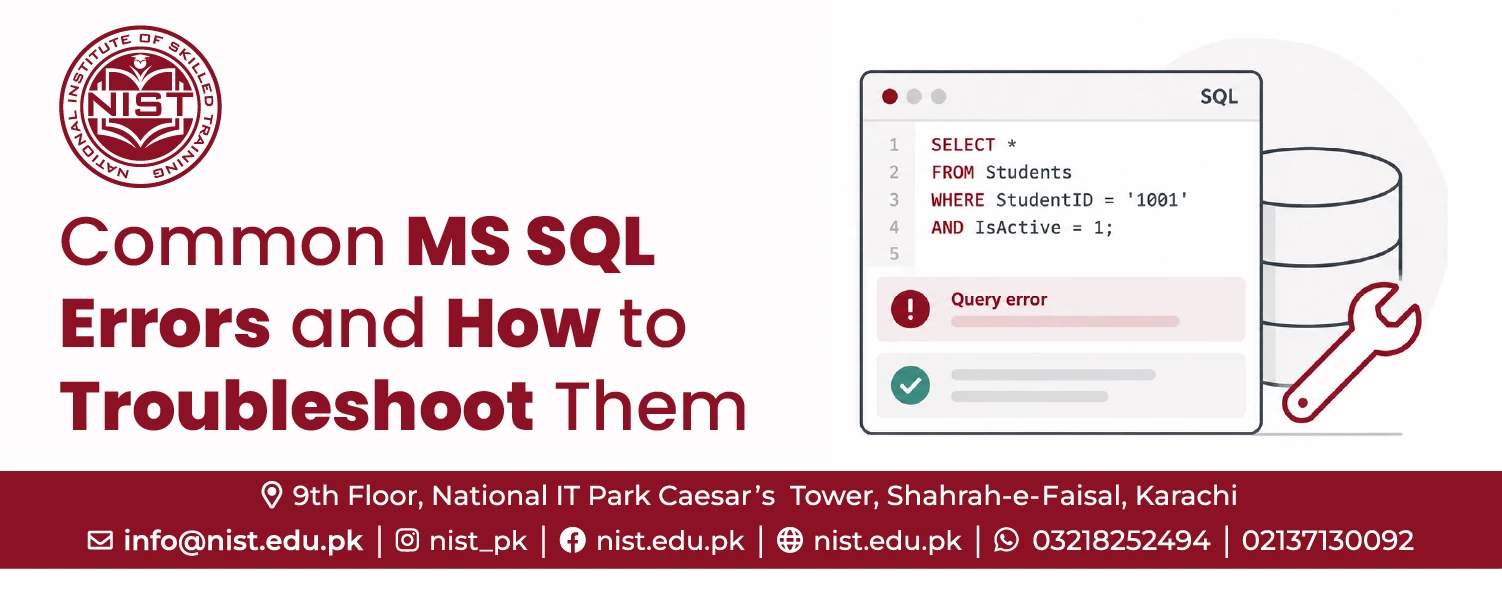
Mistakes will be made as you learn SQL Server. Beginners sometimes write a query that looks correct but doesn't work. It is more beneficial to understand the reason behind the error than just to copy some solution.
Learning about common SQL Server errors can help students work with databases more confidently and can help improve problem-solving skills.
Syntax Errors in TSQL Queries
Students learning SQL often make syntax errors. They may happen because of a missing comma or bracket, quotation mark, or keyword.
A simple typo can prevent a query from running. If you are a beginner, read an error message carefully and check your query step by step.
Permission and Login-Related Errors
SQL Server controls access through users, roles, permissions, and authentication. If the user attempts to access the database or perform some unauthorized action, the user may receive an error.
If you’ve entered the wrong credentials or connection settings, you may experience login problems. Novices will learn basic security concepts and will understand why some operations are permitted on a database, and others are not.
Data Type and Constraint Errors
A data type error occurs when the value entered does not match the data type of the column in the database. For example, if you type something in a column that is to contain numbers, you can get an error.
Constraint errors can occur when database rules are violated. Primary keys, foreign keys, and unique constraints are used to prevent wrong or duplicate data entries.
Deadlocks and Query Conflicts
Deadlocks are harder for beginners to understand. They can occur when two database operations are waiting for resources that the other holds.
SQL Server Troubleshooting — A Practical Framework for Beginners
SQL Server troubleshooting is a process of finding the cause of a database problem and taking action to fix it. Instead of trying random solutions, a novice can develop a simple troubleshooting process.
Step 1: Identify the Error Code and Message
First of all, read the full error message. SQL Server often provides you with good information about the problem. The error number, message, and location are useful in figuring out the potential cause.
Step 2: Isolate the Query Causing the Issue
If a big query is causing an error, break it into smaller chunks. Try each part separately to see where the problem starts. This makes troubleshooting easier because there are fewer potential things to check. It also helps learners to know what each part of a query does.
Step 3: Apply TSQL Error Handling with TRY...CATCH
TSQL has TRY... CATCH to handle some errors. The code that can cause an error is in the TRY part. The CATCH part can address the problem.
The ability to handle errors at a fundamental level will allow students to develop more robust database applications. It also teaches them to think ahead to possible problems, instead of thinking all questions will work out.
Why Learning Database Management Software Requires More Than Tutorials
Watching online videos and tutorials can be a good way to learn basic commands. But watching someone write a query is not the same as writing one yourself.
The Gap Between Watching Videos and Writing Real Queries
A student may understand a select query while watching a tutorial, but he may find it difficult to write it himself.
How Structured Practice Prevents Recurring SQL Server Errors
Structured practice allows students to work through a variety of database situations. Structured practice allows students to work through a variety of database situations.
Choosing Between an MS SQL Server Course Online and In-Person Training
Now students can choose between classroom or online training. Both options can be effective, provided the course has adequate guidance and practical exercises. The best choice depends on the student’s schedule, learning style, and need for direct support.
What You Gain from Live, Instructor-Led Sessions
Students training in-person have direct access to the instructor. They can ask questions in lessons, and they can get explanations if they have difficulties.
Who Should Choose an MS SQL Server Course Online Instead
If you are a student or professional who needs flexible learning, an MS SQL Server course online can be a best option. You can study at home, fitting lessons around other commitments.
Inside NIST's MS SQL Server Course for Beginners
NIST provides SQL Server training for students who want to learn database skills in a systematic way. The MS SQL Server beginner course will help learners understand the fundamentals of the database and then go to the advanced level.
Curriculum: RDBMS, TSQL, Stored Procedures, and UDFs
The best SQL Server course path will start with RDBMS fundamentals & relational database concepts. Then students learn TSQL and improve their skills to write database queries. More advanced topics may include stored procedures and user-defined functions UDFs.
Internship and Real-World Database Management Software Experience
Hands-on experience helps learners see how database skills are used in the real world of work. Students interested in knowing more about the SQL Server training can visit the NIST course page.
Frequently Asked Questions About Learning SQL Server
What database management software is best for beginners to learn first?
The MS SQL Server course for beginners is a good choice because it teaches important relational database concepts.
How do I start learning TSQL as a complete beginner?
Learn the basic commands like SELECT, INSERT, UPDATE, and DELETE. Practice each command on small tables.
What are the most common SQL Server errors and how do I troubleshoot them?
Common problems are syntax errors, login errors, permission errors, data type errors, constraint errors and query errors. Read the error message. Isolate it separately and try the query in stages.
Is an MS SQL Server course online as effective as in-person training?
Yes. An effective online course provides practical exercises, instructor guidance, and real database tasks. Students should not just watch lessons but focus on practice and understanding.
How long does it take to become job-ready in SQL Server database management?
It is contingent upon the student’s background and how often he or she practices. So, for beginners learning database concepts, TSQL queries, error handling, troubleshooting, and practical projects are a must before getting into more complex database work.
Explore NIST’s MS SQL Server Course for Beginners and build practical database skills today.